Review · smart glasses
Halliday Smart Glasses Review: A Clever Idea That Reviewers Stopped Wearing
The Halliday glasses project a tiny proactive-AI display into the corner of your vision. A clever idea, but reviewers found the execution disappointing.
Disclosure: We earn commissions from links on this page, as an Amazon Associate we earn from qualifying purchases, at no extra cost to you. This never affects what we recommend. Read our editorial standards →
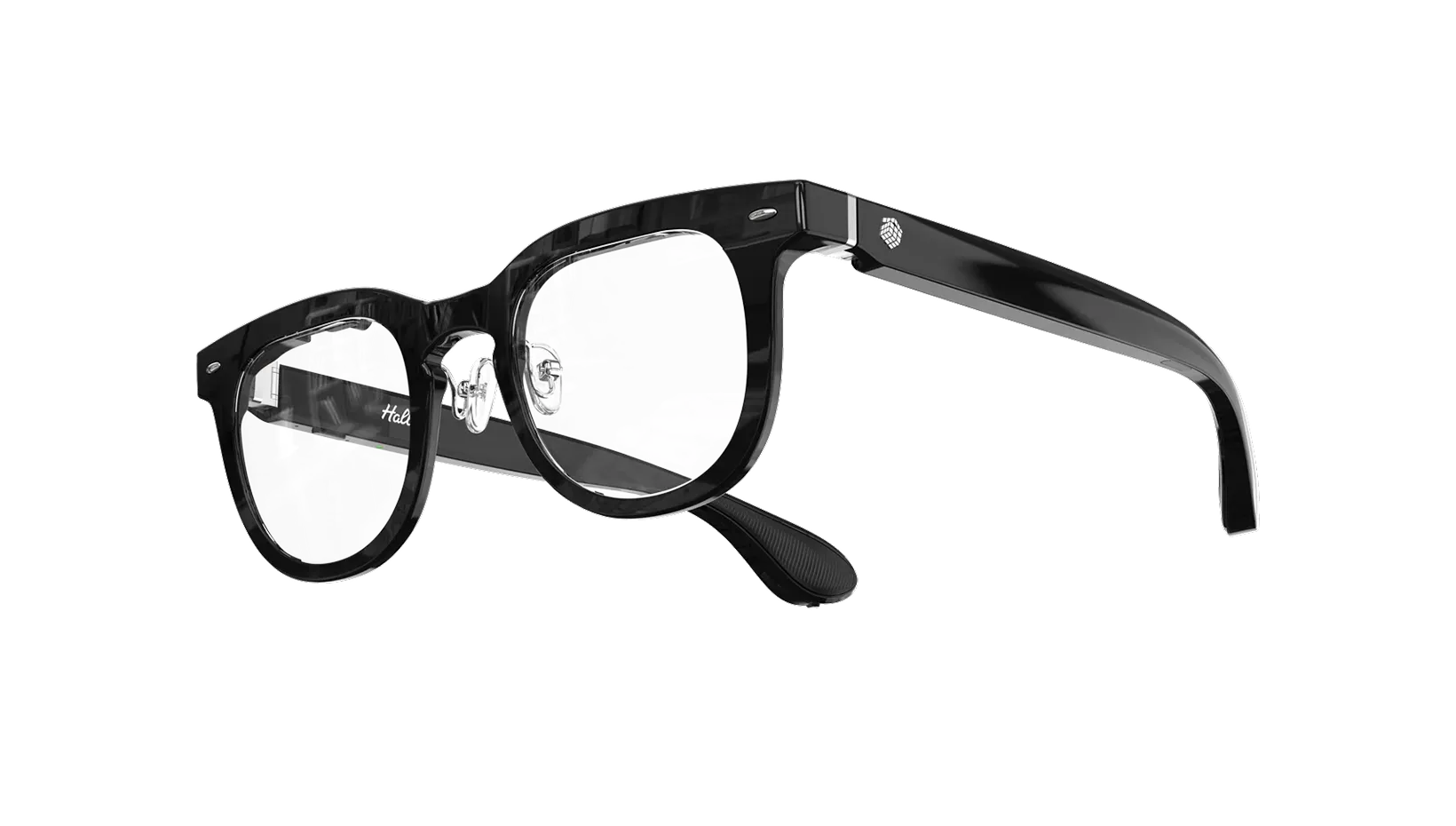
Halliday
Halliday Smart Glasses
Synthesis score
The most ambitious idea here, and the weakest execution. Halliday's corner-of-the-eye DigiWindow and proactive AI are novel, but reviewers found the display tiny, the AI gimmicky, and them easy to stop wearing. The concept intrigues; the product is not ready. Skip it.
Pros
- +The DigiWindow approach is genuinely novel: a tiny micro-LED projects a display into the upper corner of your vision with no visible lens module, so the frames look ordinary
- +Proactive AI is the pitch, surfacing translations, directions, and answers without you asking, plus a teleprompter and live transcription
- +Lighter and less conspicuous than waveguide rivals, with an optional ring controller for discreet input
- +Among the cheaper ways into a heads-up display, undercutting the Even Realities G1 and the display-equipped Meta
- +Real-time translation and note features work well enough to be useful in the right moments
Cons
- −Reviewers were not won over; one called it a buzzword-laden curiosity they stopped wanting to wear, which is the throughline of its coverage
- −The corner display is small and easy to lose track of, and the proactive AI often feels more gimmick than genuine help
- −Build and software felt unfinished to testers, with the experience not yet matching the ambition of the concept
- −It competes with far more polished options, and the value case is hard to make
- −Early-adopter pricing at launch was lower; paying full price for a product reviewers cooled on is a tough sell
This review is part of our buyer's guide, Best AI Smart Glasses in 2026, which compares every pick side by side.
Halliday has the most original hardware idea in this guide. Instead of a waveguide stretched across the lens, a tiny micro-LED projects a display into the upper corner of your vision, so the frames look like ordinary glasses with no visible screen. Pair that with proactive AI that surfaces information before you ask, and the pitch is genuinely fresh. The problem is that the people who wore them came away unconvinced.
This is a synthesis review. We have not tested these glasses ourselves; the assessment below draws on named reviewers and vendor specs, each cited.
The idea
The DigiWindow display is clever engineering. Keeping the optics out of the lens means Halliday avoids the chunky look of most display glasses, and the proactive-AI concept, translations, directions, and answers appearing without a prompt, points at where the category wants to go. Translation, teleprompter, and transcription are the most usable features, and it is one of the cheaper ways into a heads-up display. On a spec sheet and a stage, it is compelling.
The reality
Reviewers did not stay compelled. The corner display is small and easy to lose track of, the proactive AI reads as gimmick more often than help, and the build and software felt unfinished. The throughline of the coverage was an ambitious concept that people stopped wanting to wear, including one reviewer who called it a buzzword-laden curiosity. At full price, competing against more polished options, that is hard to overlook.
Where the score comes from
Our synthesis score is 6.0, the lowest in this guide. It reflects credit for an original idea, the out-of-lens DigiWindow projector, at a lower price than most display glasses, pulled down by the actual reviewer reception, which ran from mixed to negative across Android Police and Engadget over a tiny display, gimmicky proactive AI, and rough daily use. The number reflects others’ hands-on disappointment, not just spec-sheet skepticism.
Who should buy it
Only buy the Halliday if the corner-of-the-eye display and proactive AI are specifically what you want, and you accept that you are buying a concept ahead of its execution. For a more usable HUD, the Even Realities G1 is the better display pick, and for everyday usefulness the Ray-Ban Meta Gen 2 does more for less. The idea here deserves a sequel. This version is not the one to spend the money on.
Frequently asked questions
What is DigiWindow on the Halliday glasses?
What is proactive AI and does it work?
How do reviewers rate the Halliday glasses?
Is there a better alternative at this price?
Sources
Every claim in this guide that isn't first-person experience is traceable to one of the sources below. URLs verified at publication; some may rot. Let us know if so.
- Halliday Glasses review: Buzzword-laden curiosity I stopped wanting to wear — Android Police
- Halliday Glasses review: ambitious smart glasses with frustrating flaws — Engadget
- Hands-on: Halliday smart glasses project a display on your eye — 9to5Google
- Halliday DigiWindow Glasses product page — Halliday